Modernizing Job Platform
for the University of Hawai'i's
Employers
Project Overview
Student Employment and Career Exploration (SECE) is the University of Hawai'i's job platform connecting students across all ten UH campuses with on- and off-campus employers. During the summer, I redesigned the employer-facing experience and built a component library. The redesign is currently in development.
Project Type
Internship
Contributions
UX Research
UI & Visual Design
Design System
Interaction Design
Timeline
5 months
Tools
Figma
Illustrator
THE PROBLEM
A Functional Platform Held Back by an Outdated Interface
SECE had been serving UH students and employers for decades, but its aging interface created unnecessary friction — employers struggled to navigate key workflows, and the UI no longer reflected the university's brand or digital standards.
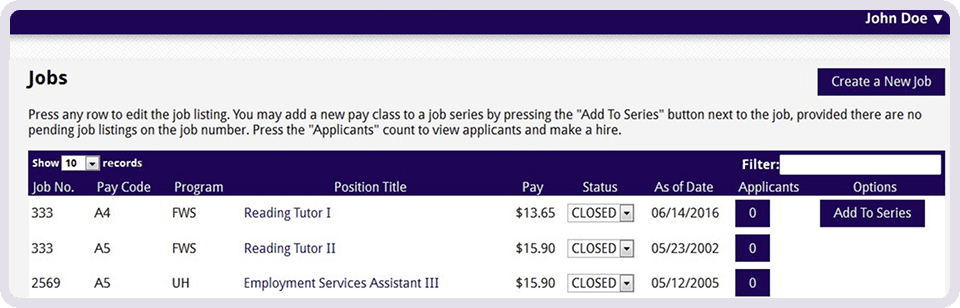
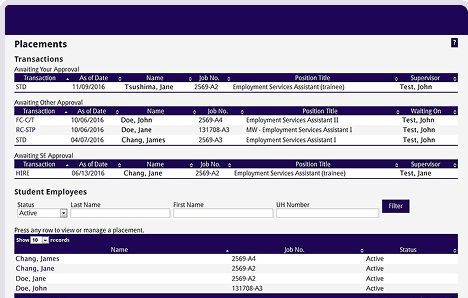
Speaking with SECE’s staff and using Nielsen's heuristics as a framework, I evaluated the existing platform and identified three key issues.
RESEARCH
Learning from Existing Designs & Best Practices
To address these core friction points, I looked at how leading university and employer platforms handle dense data and brand consistency.
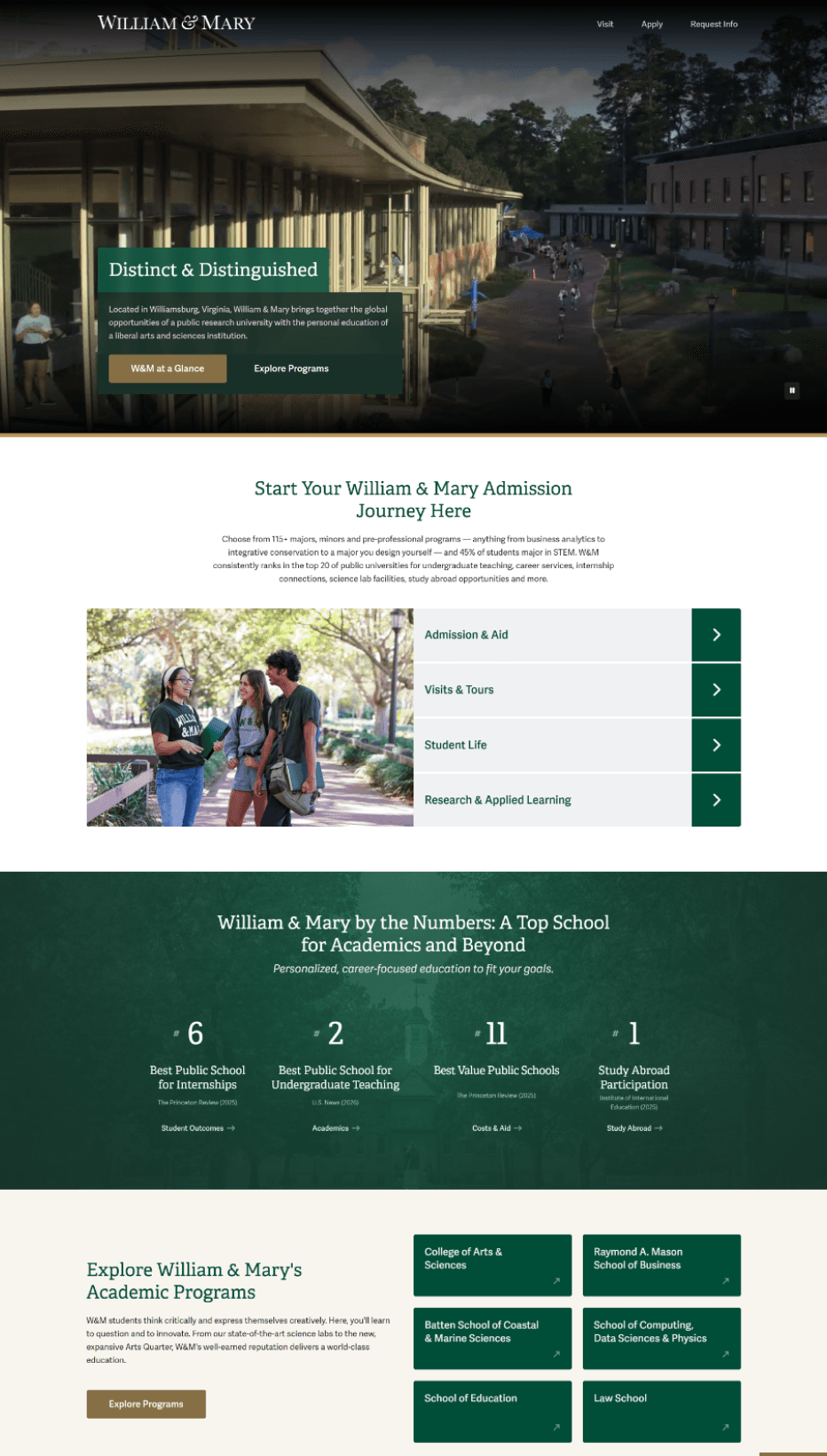
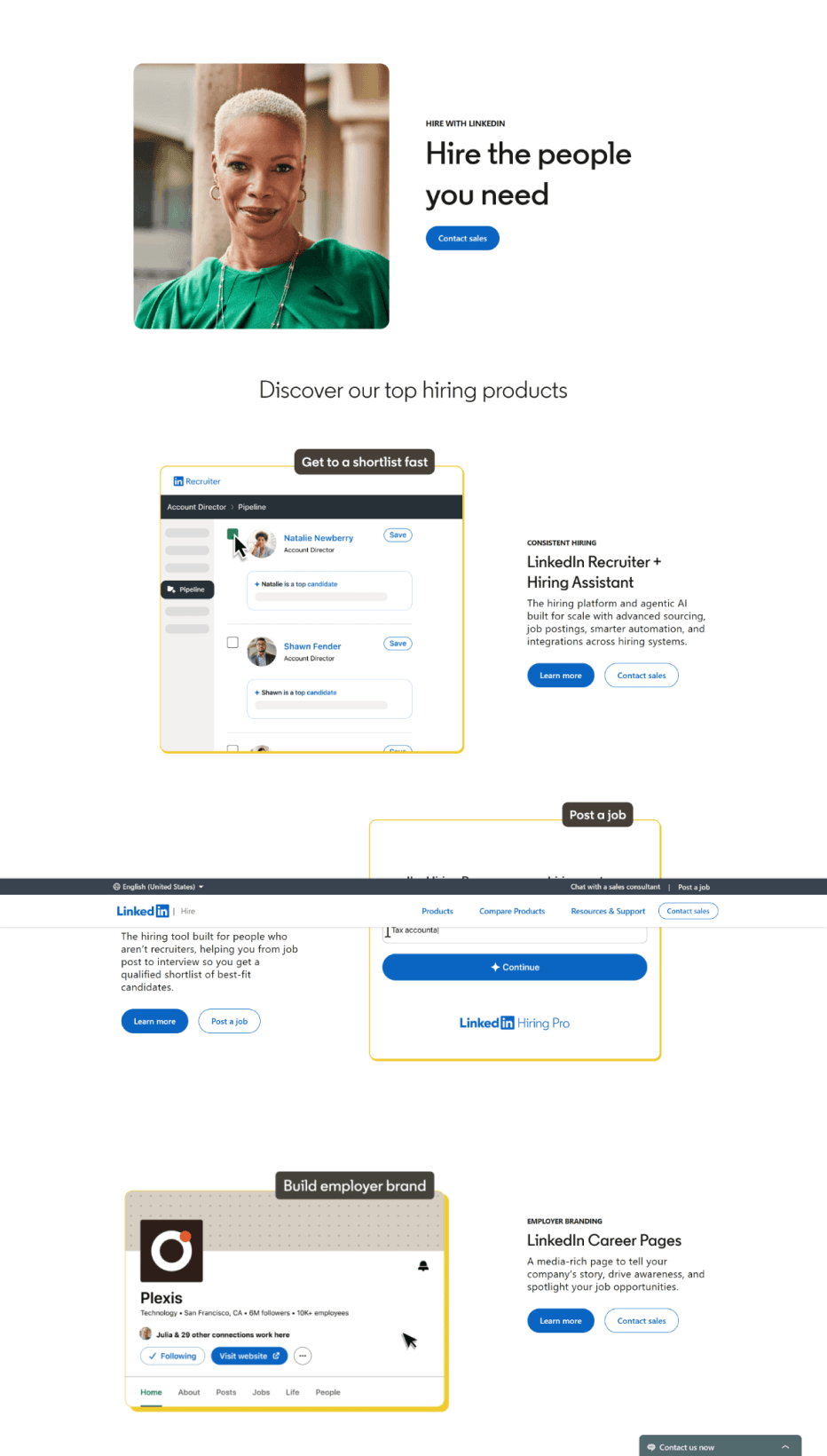
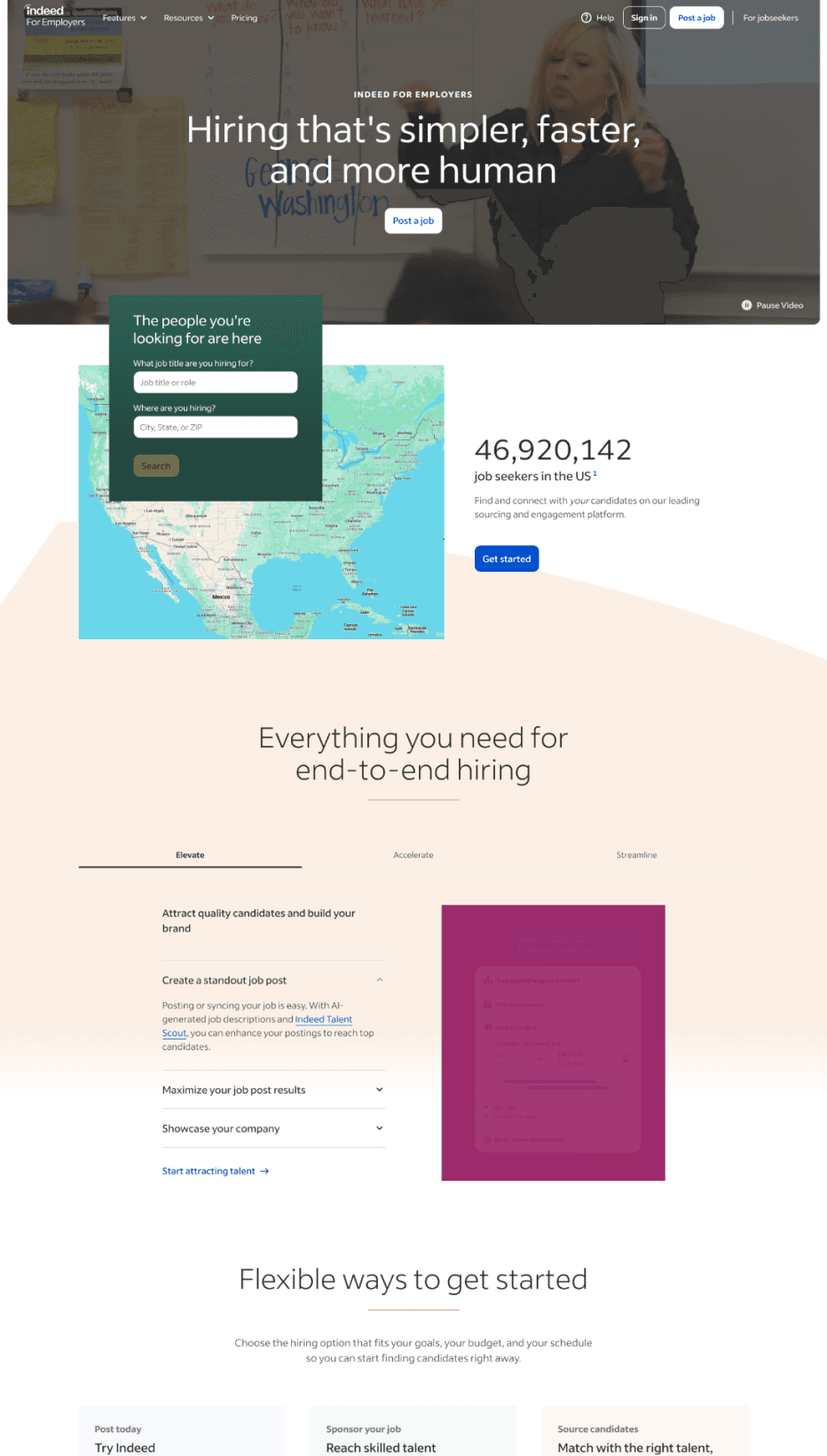
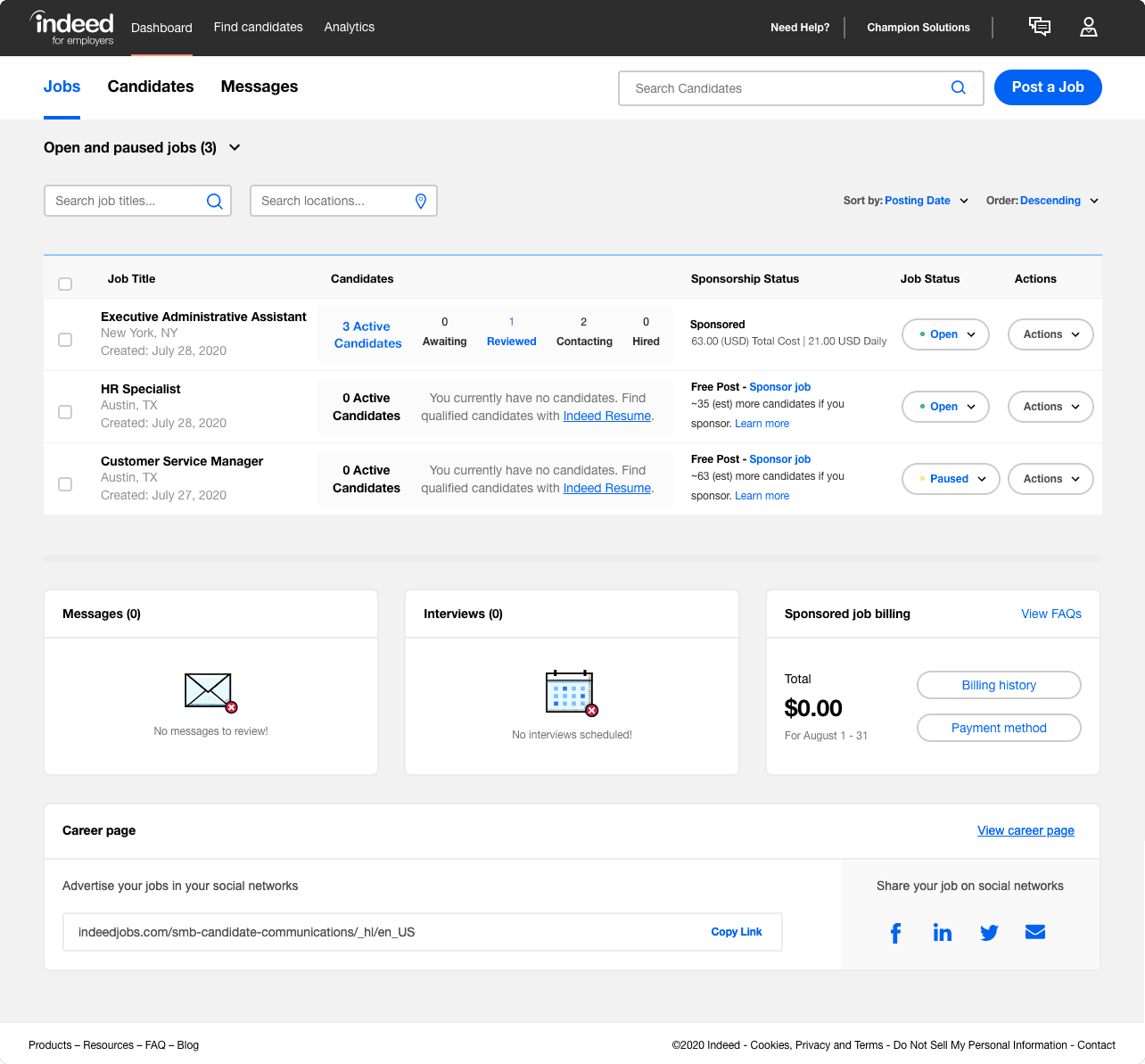
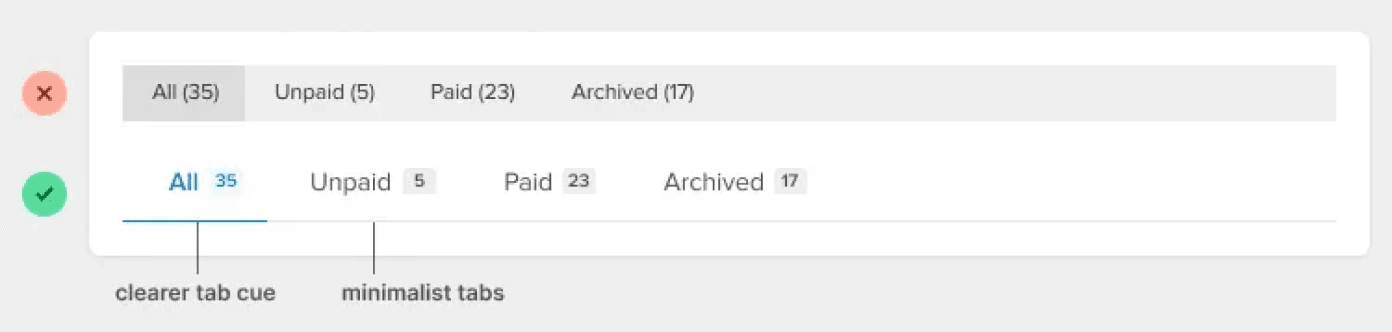
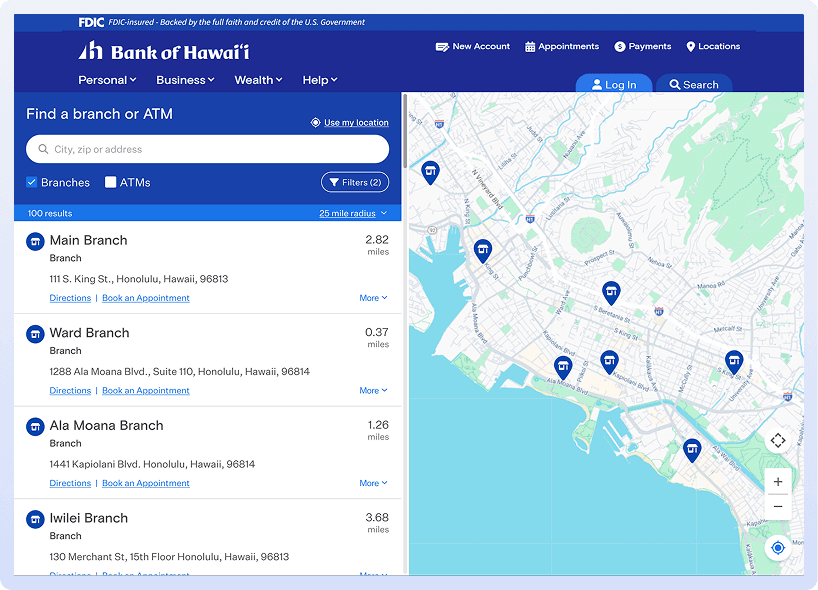
Navigation bar doesn’t have to look like a bar
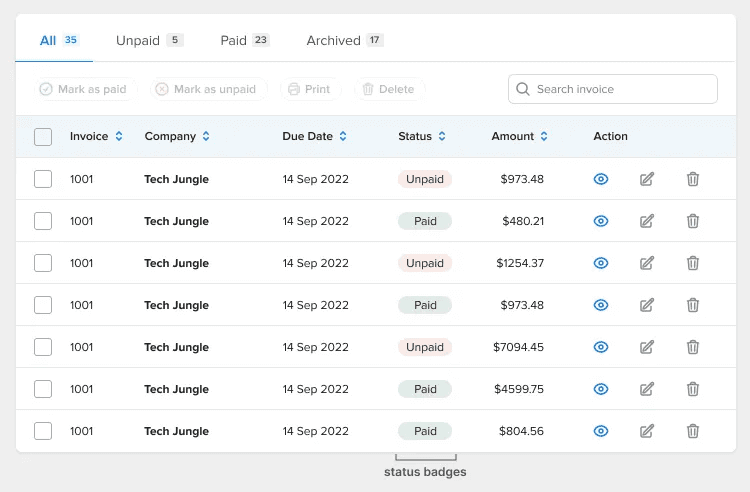
Use badges for status data.
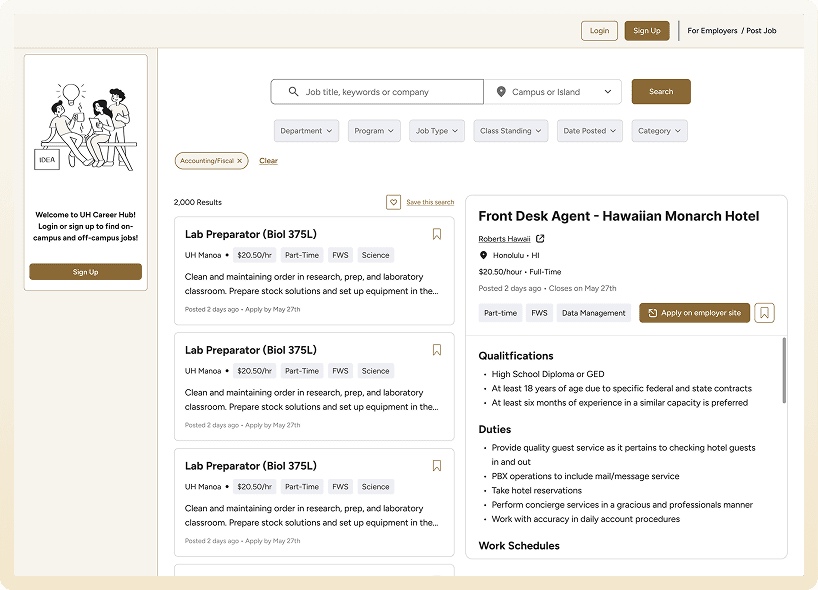
Screenshots of the platform paired with feature highlights
Platform credibility stats (student count, campus reach, etc.)
Color coded action items
Stylized Tables
Brand color for CTAs
Separate entry points for employers and job seekers
PROCESS
Planning My Approach
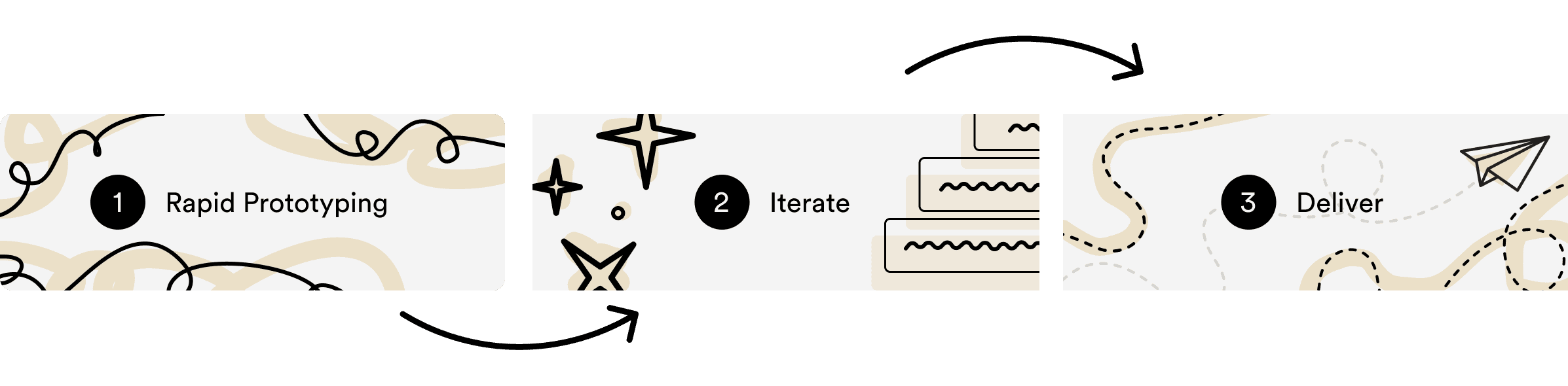
Given the internship timeline, I moved directly into high-fidelity design, iterating as I went.
SETBACKS
My First Iteration
Building directly in high-fidelity without an established component library slowed me down and introduced inconsistencies across the design. Once I rebuilt the system using Shadcn as a foundation, the process became significantly faster and the designs more cohesive.
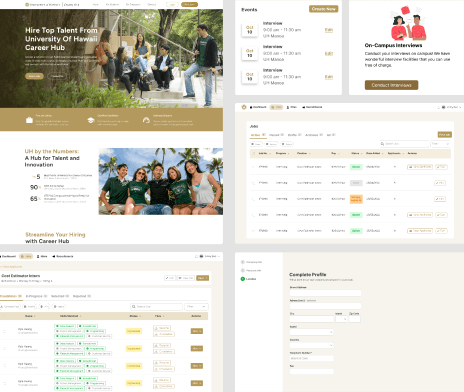
Failed to meet AAA compliance
No established design system
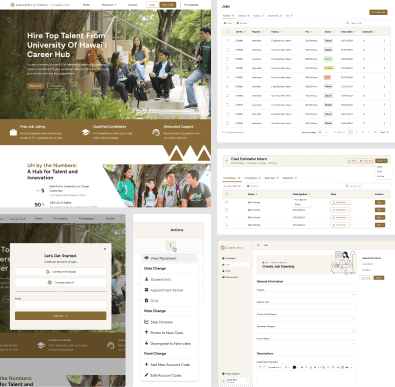
Meets AAA compliance
Established design system
NEW DESIGN SYSTEM
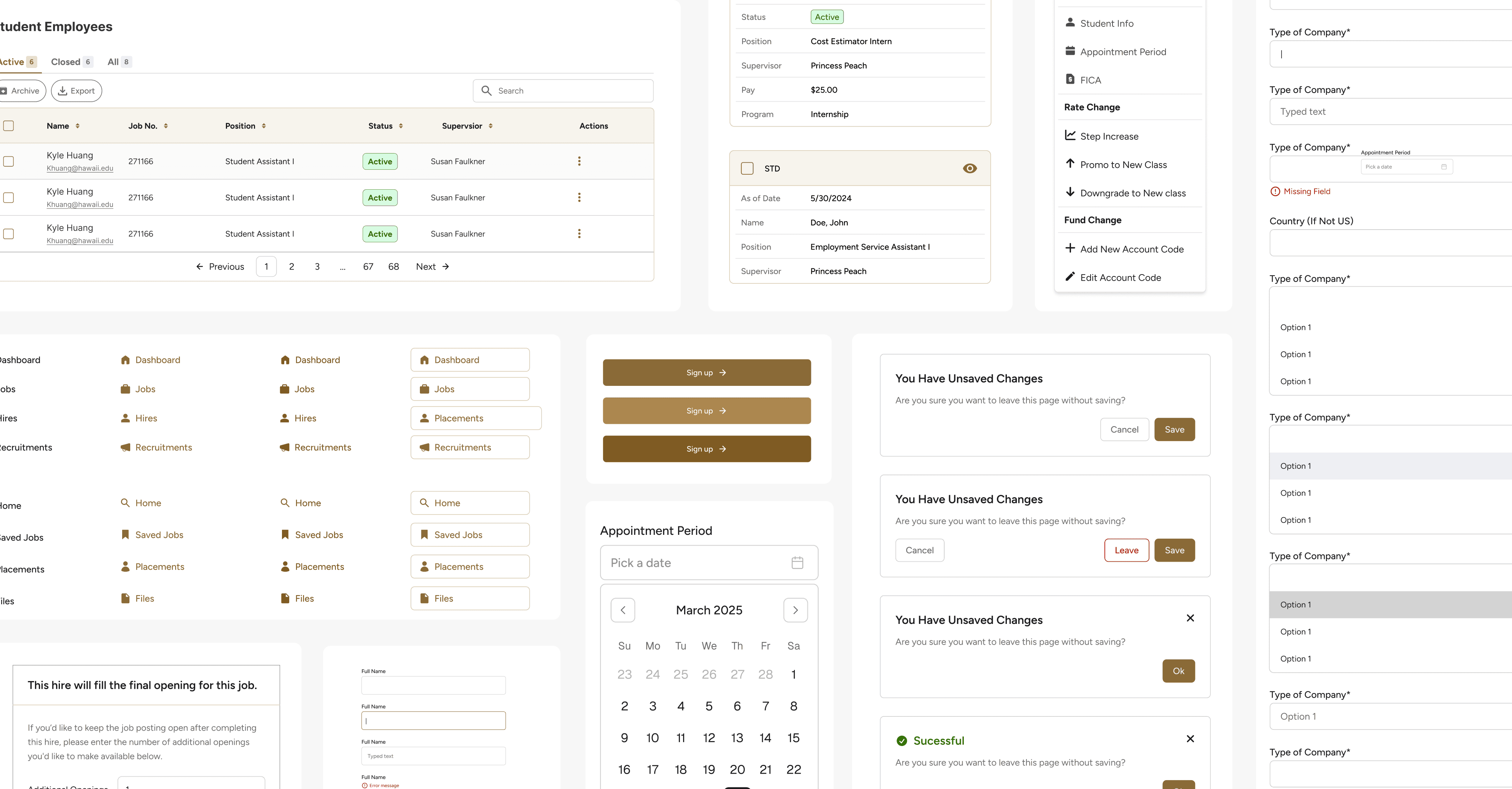
Rebuilding the Component Library
The final library includes around 20 core components: button variants, form inputs with all interactive states (default, focus, error, disabled), color-coded status tags, modals, side panels, alert dialogs, illustrated empty states, and data tables.
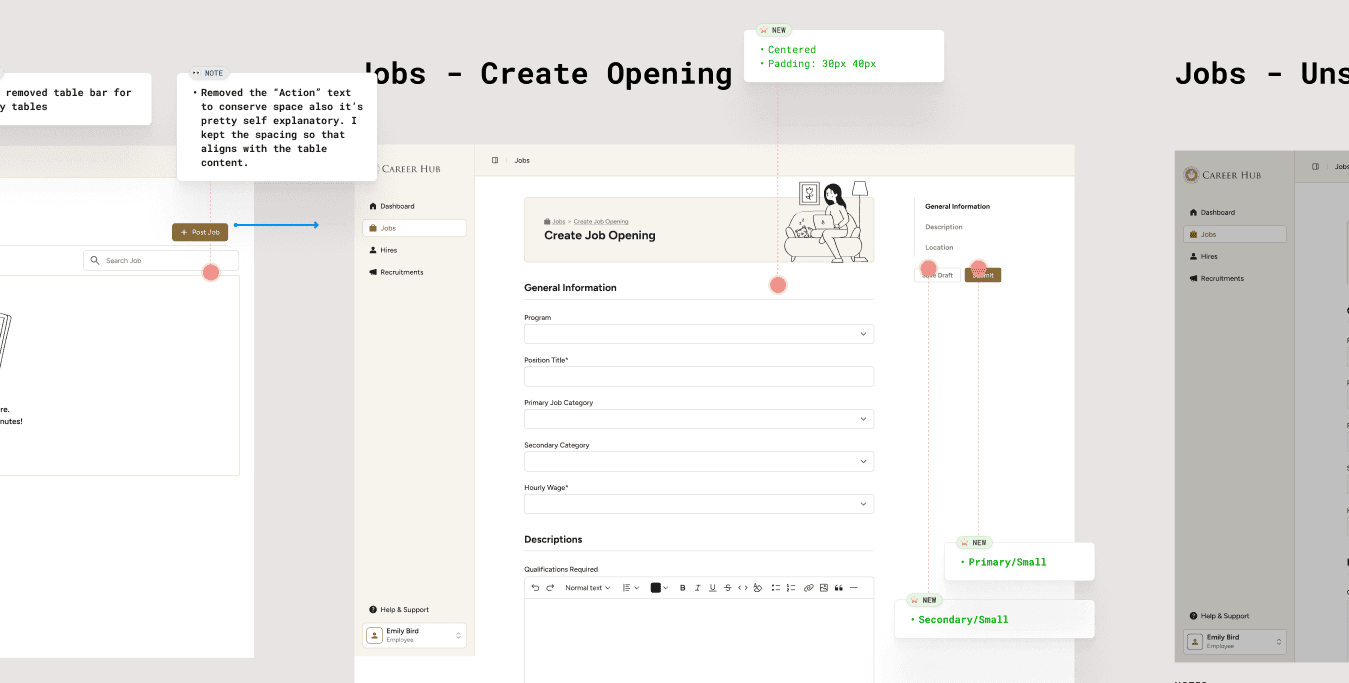
All components meet WCAG AAA contrast standards and are fully annotated in Figma for developer handoff.
Handoff
The final library includes around 20 core components: button variants, form inputs with all interactive states (default, focus, error, disabled), color-coded status tags, modals, side panels, alert dialogs, illustrated empty states, and data tables. All components meet WCAG AAA contrast standards and are fully annotated in Figma for developer handoff.
Final Designs
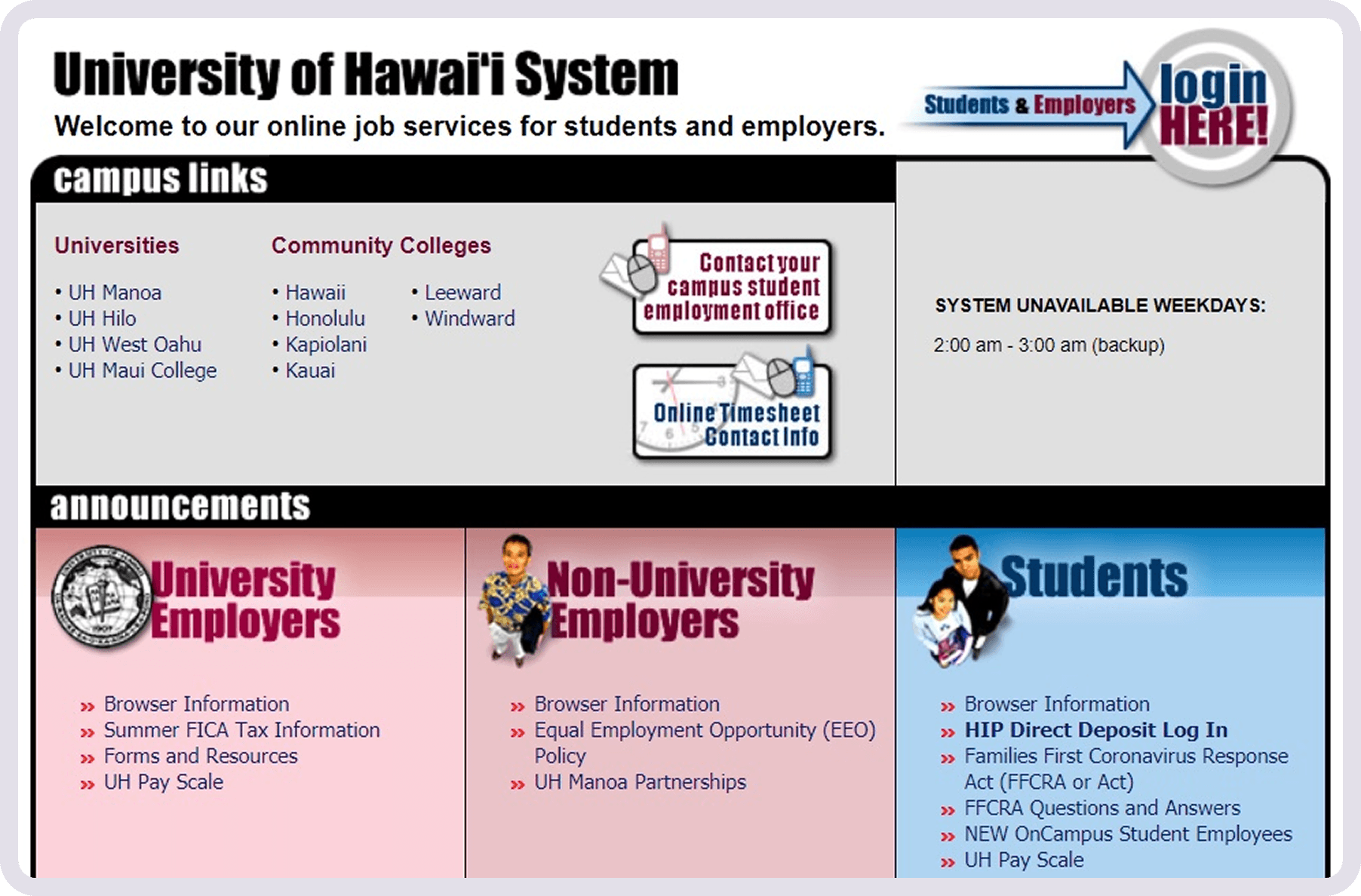
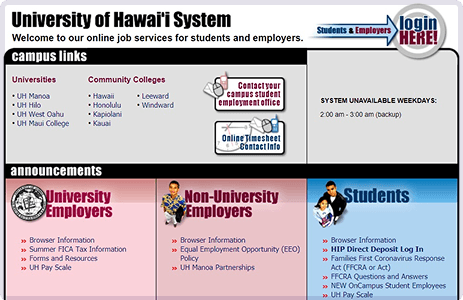
Outdated and no longer reflected UH's current brand. Information was cluttered with no clear hierarchy.
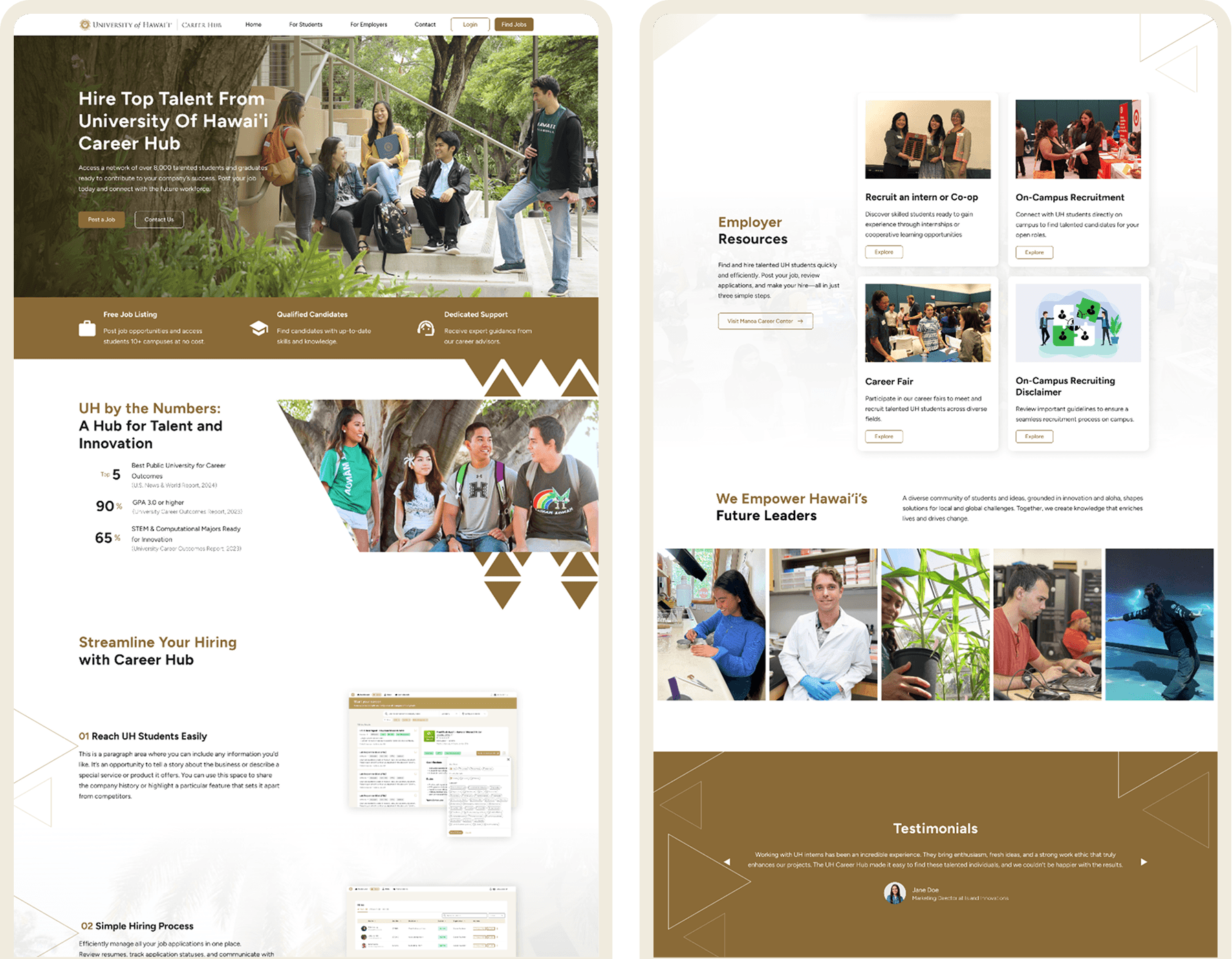
Follows the new design system and highlights Career Hub's features.
Forms
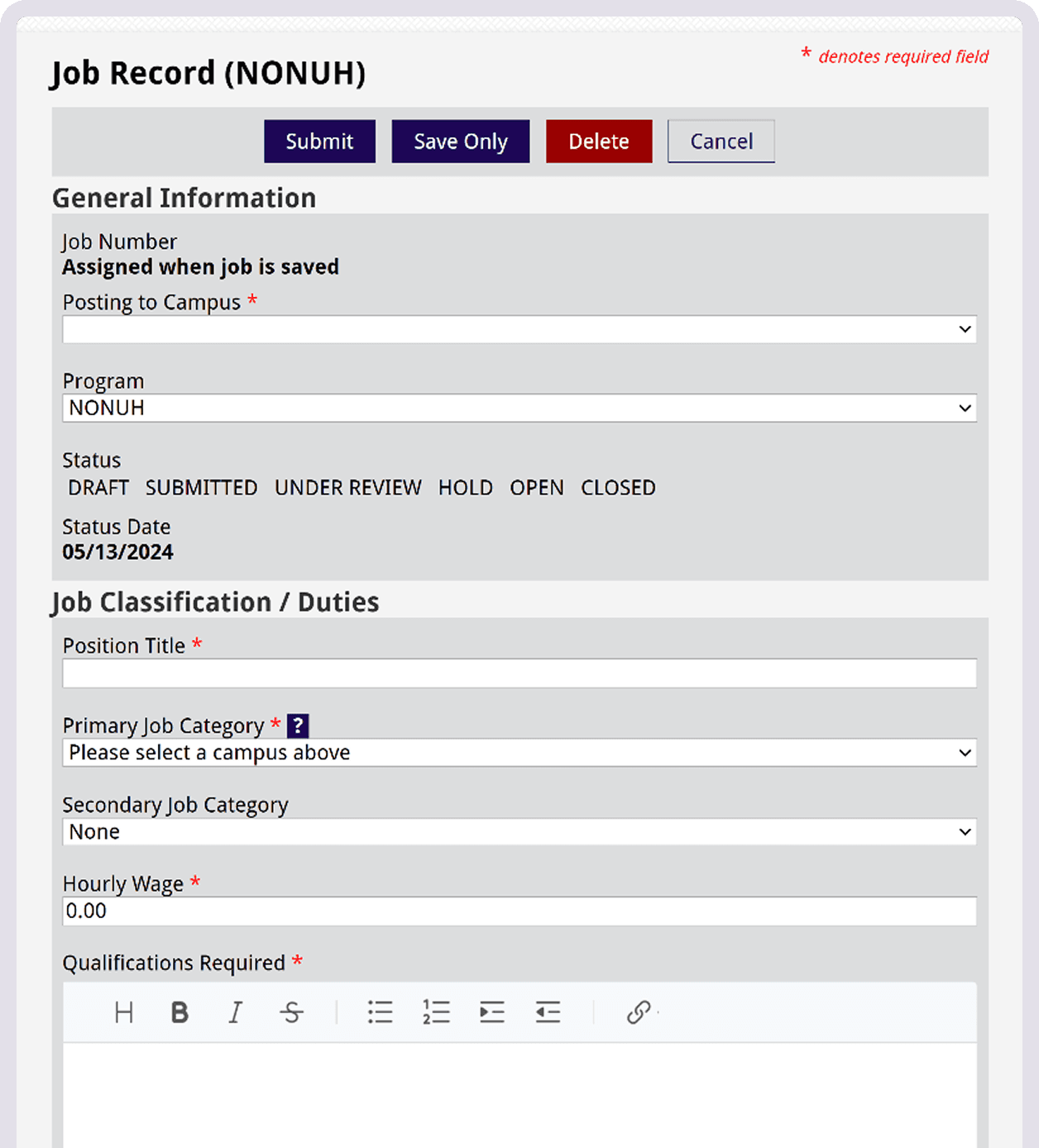
Forms were long, unstyled, and offered no navigational aid. Error states were unclear, and optional fields were not labeled as such.
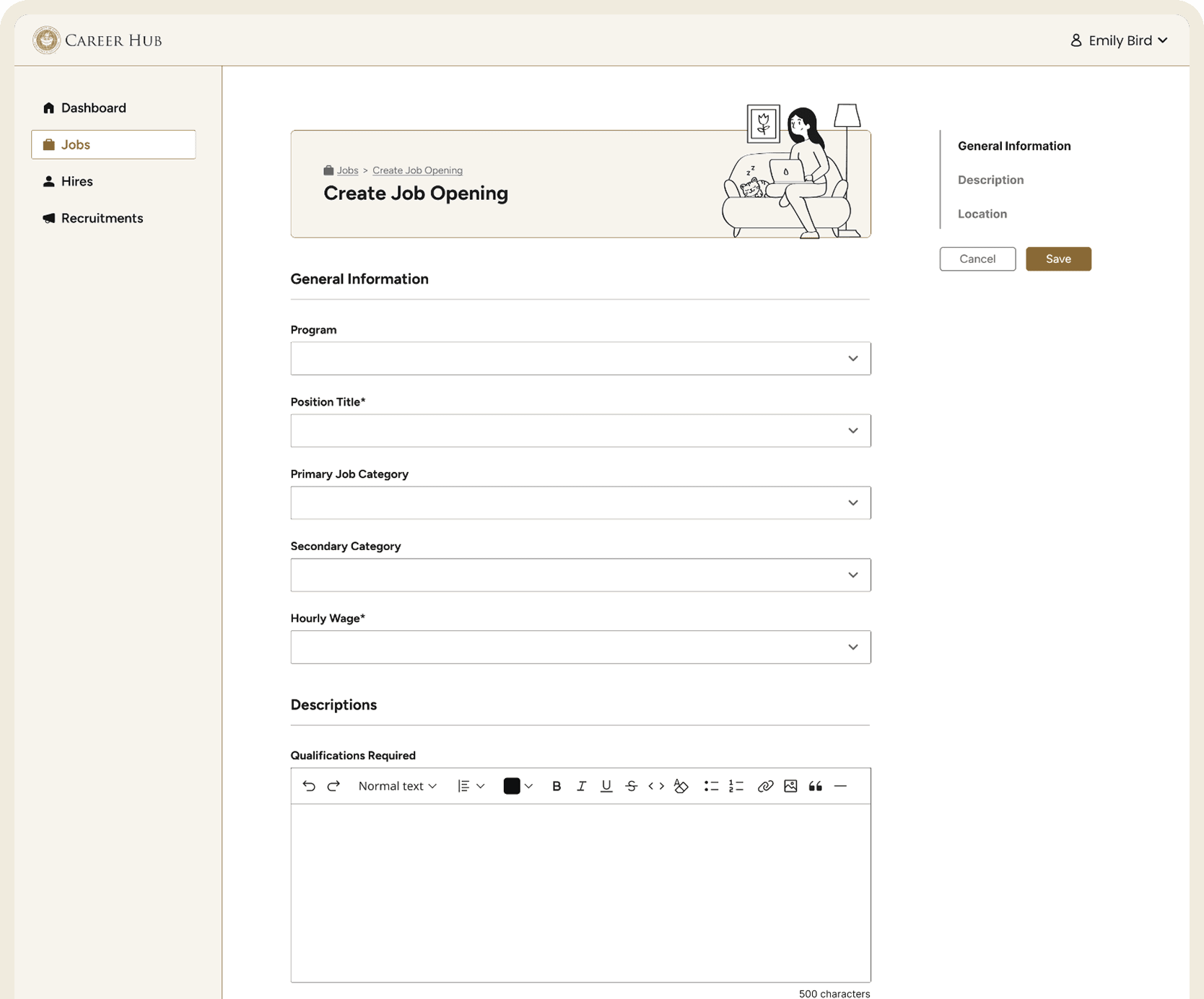
Better organization, side navigation for jumping between sections, and clear error states.
Employer Dashboard
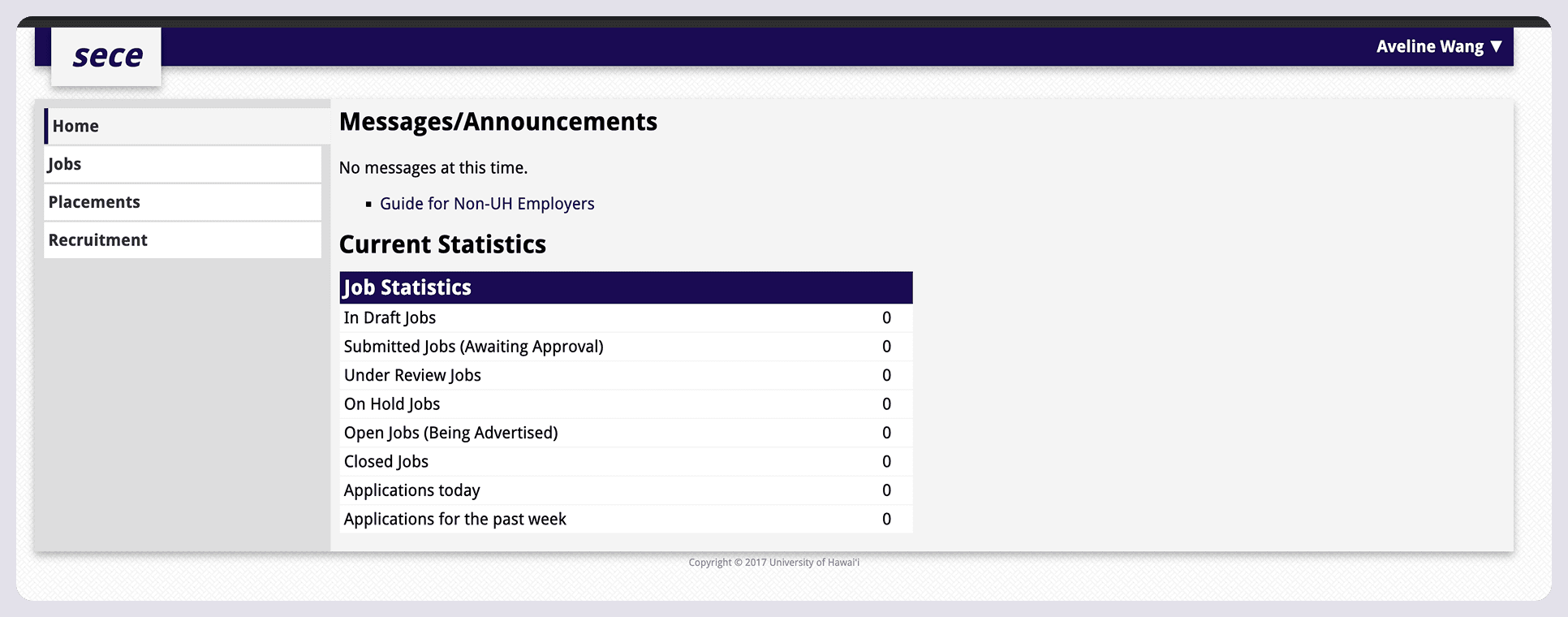
No visual hierarchy.
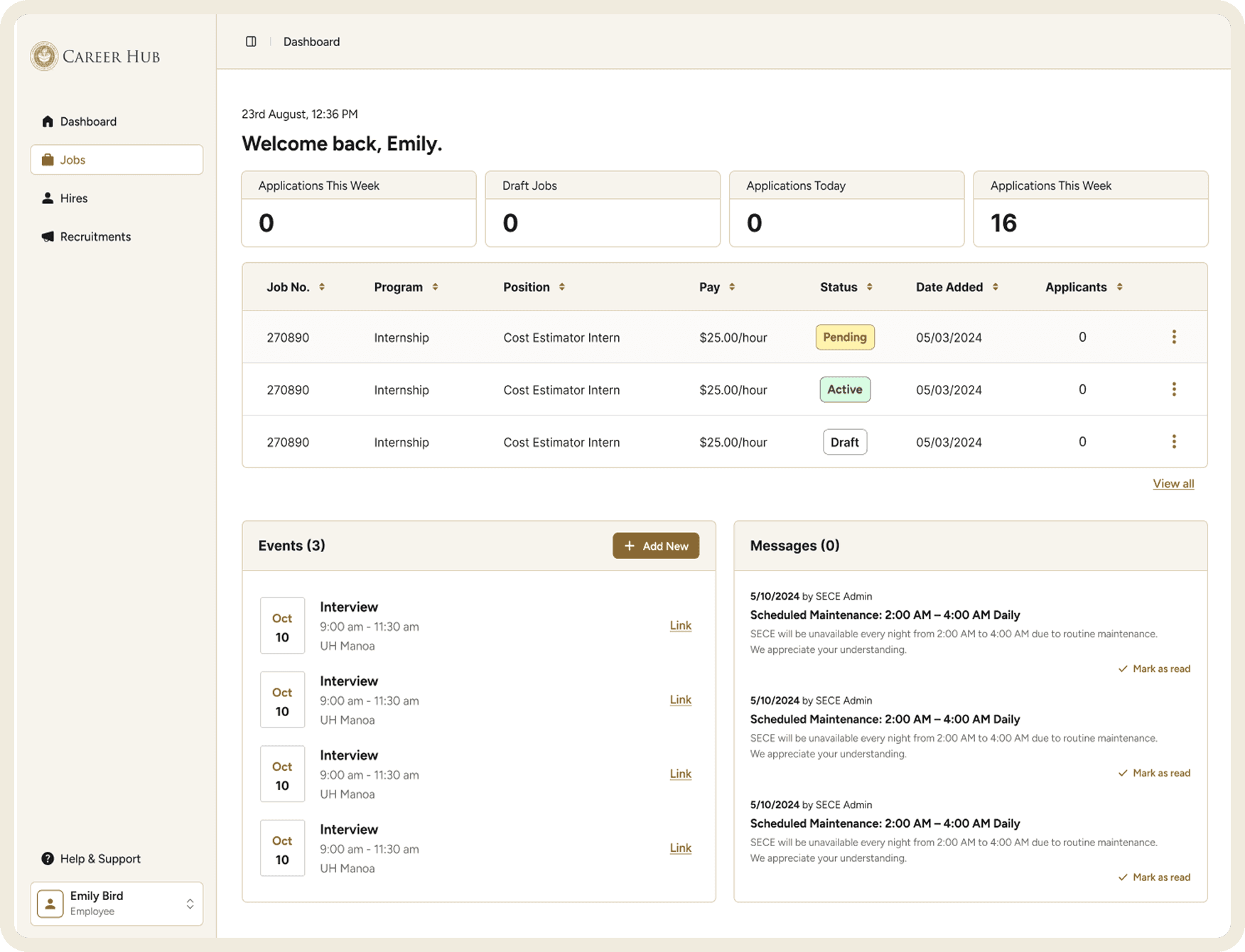
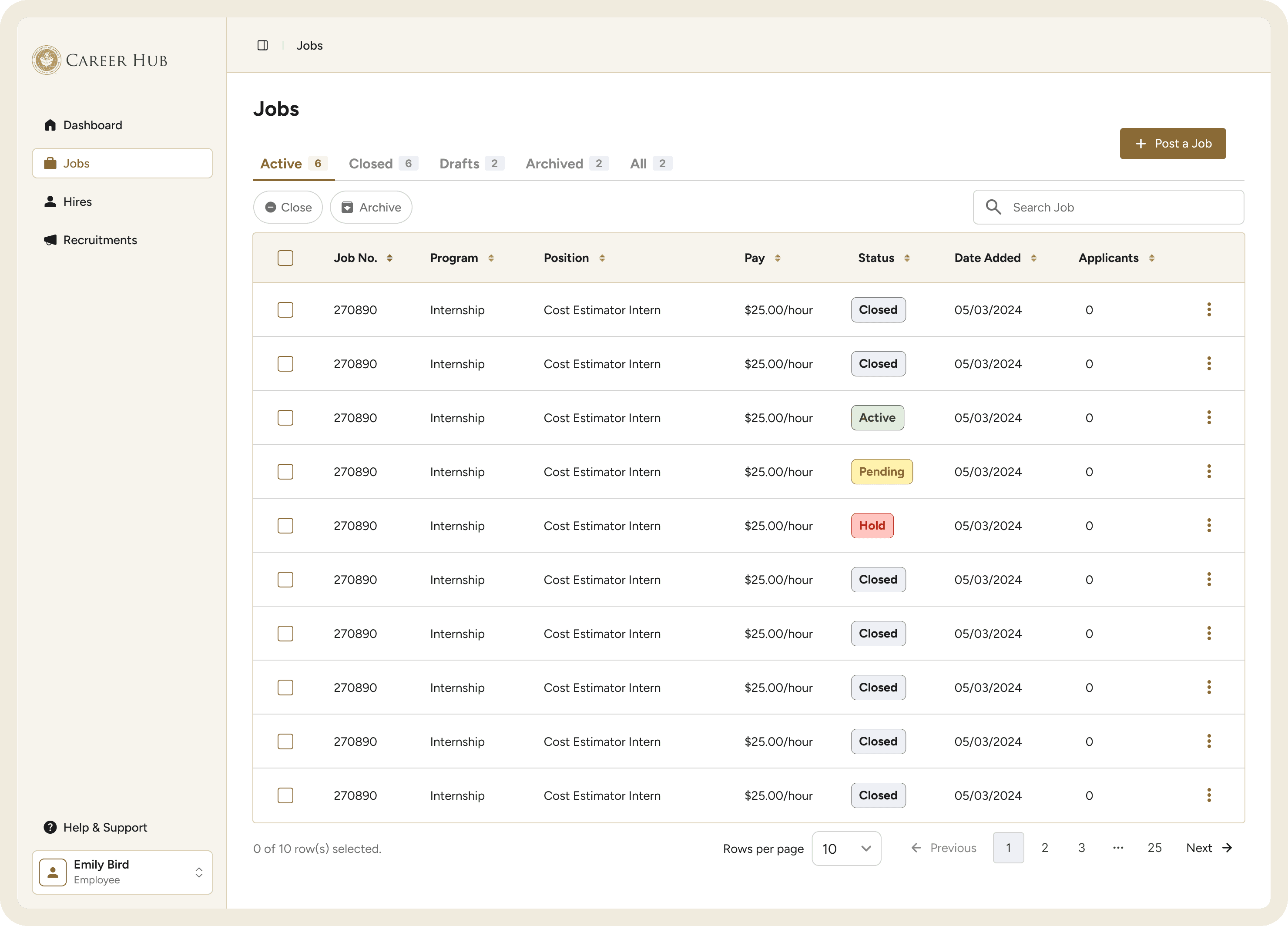
Manage job postings, track applications, and access recruitment tools all in one place with scannable stat cards and a live jobs preview table.
Jobs
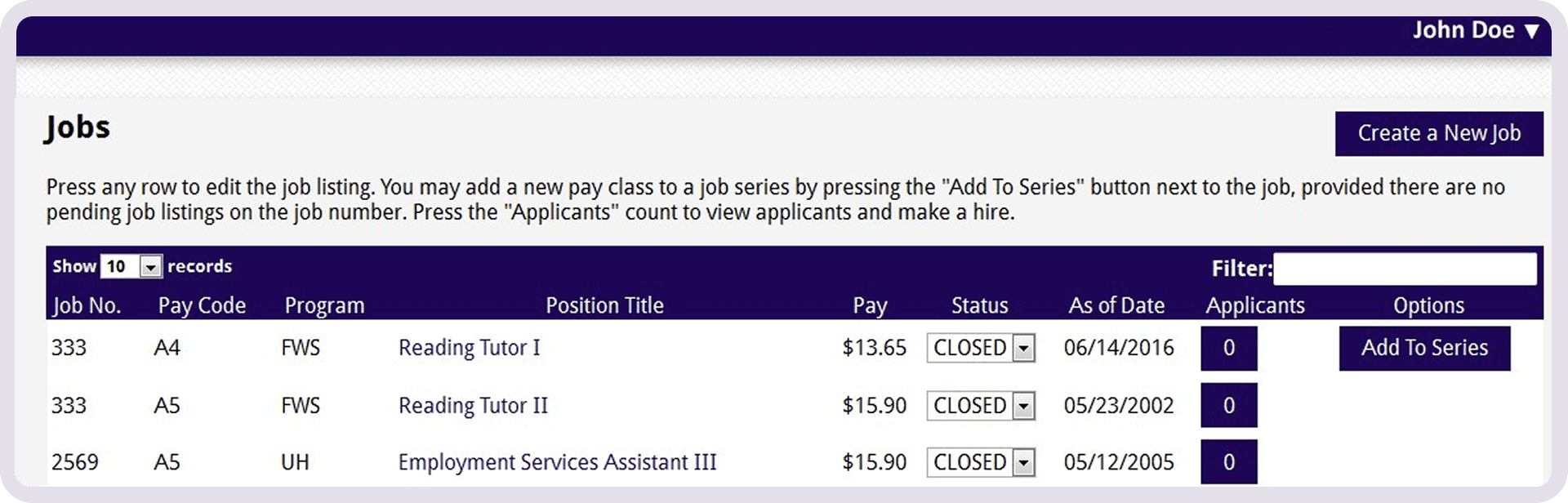
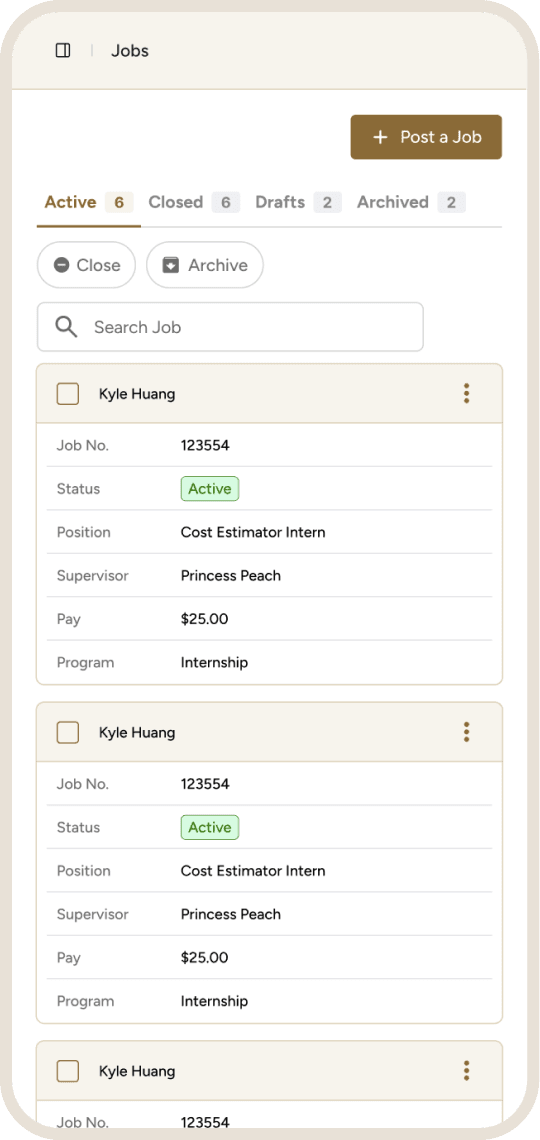
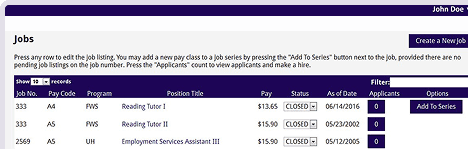
Jobs table was dense and hard to parse.
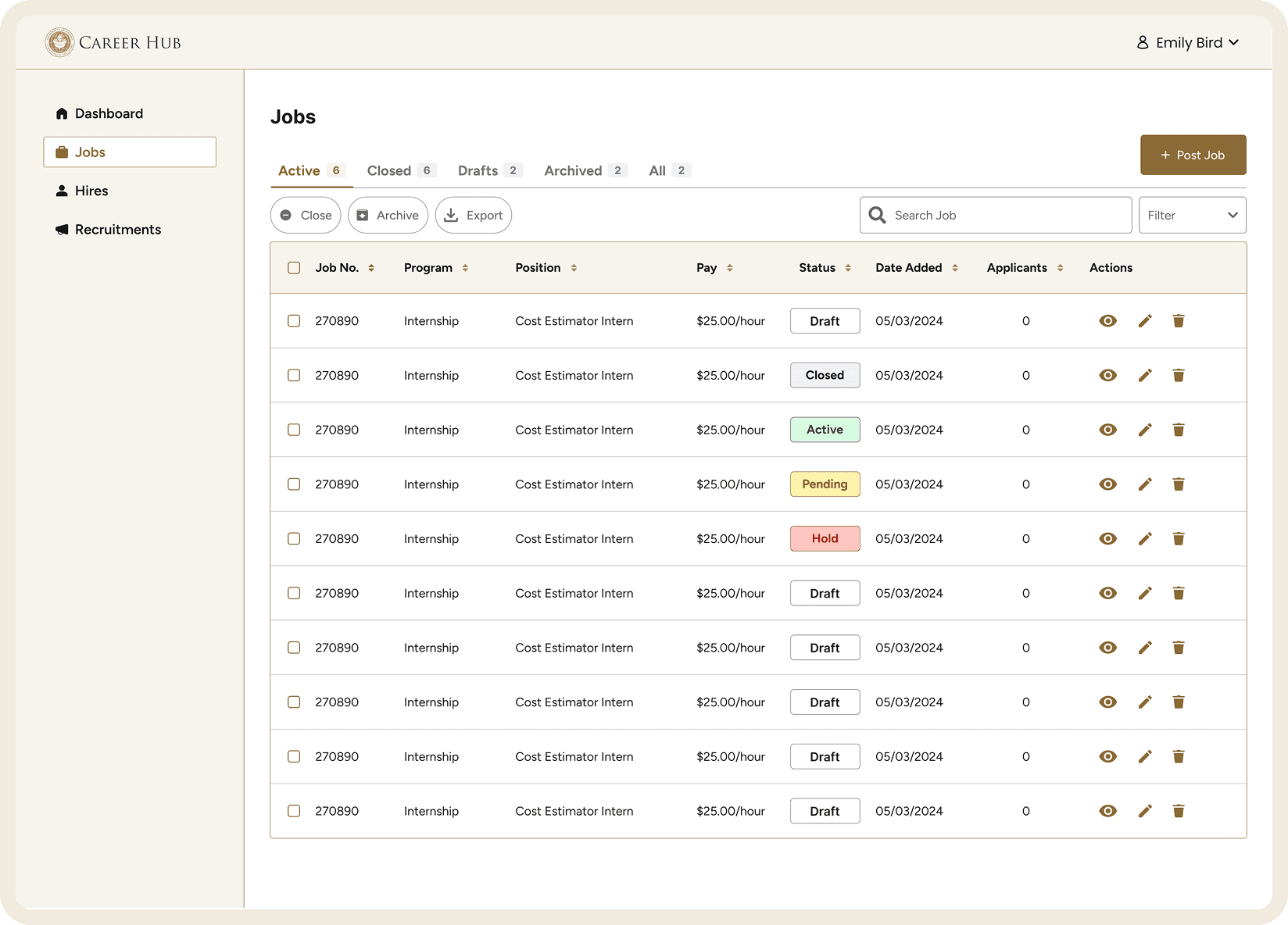
Color-coded status tags. Chevron on the Post a Job button so employers can choose what kind of job to post. Three-dot actions menu that consolidates all row-level controls in one place.
Placements
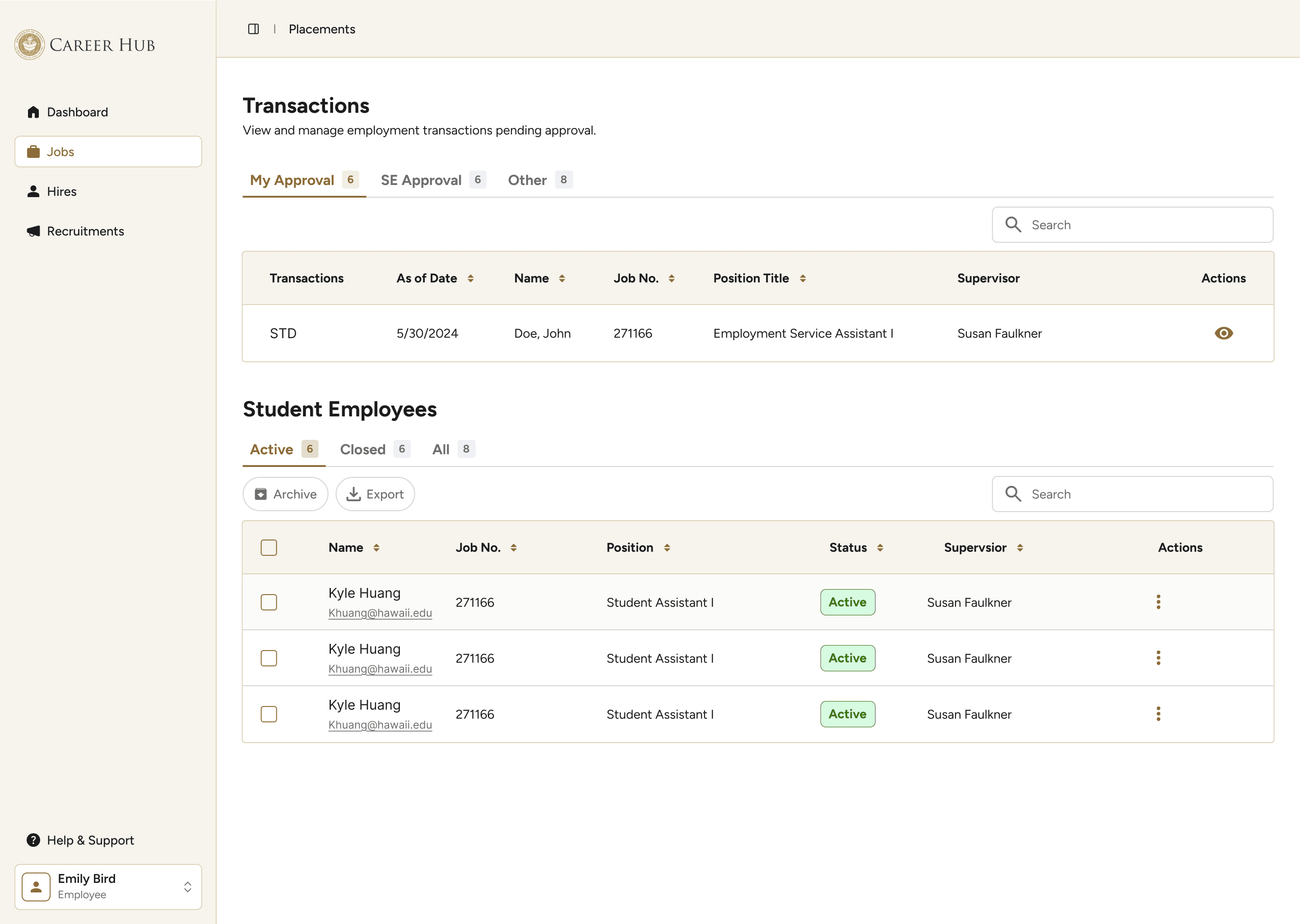
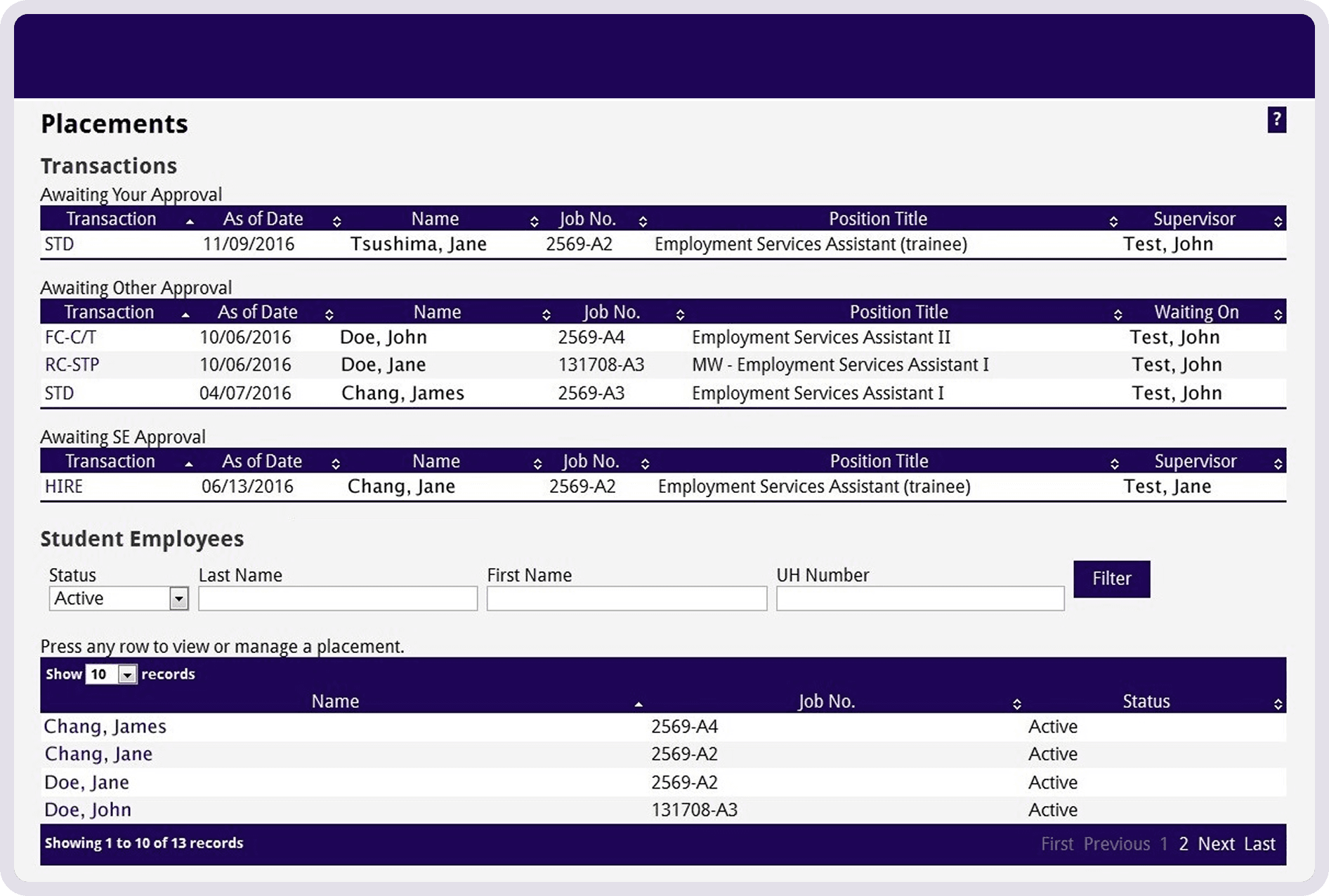
Actions were buried inside individual records, requiring employers to navigate away from the table, scroll to the bottom, and create a new transaction just to make a change.
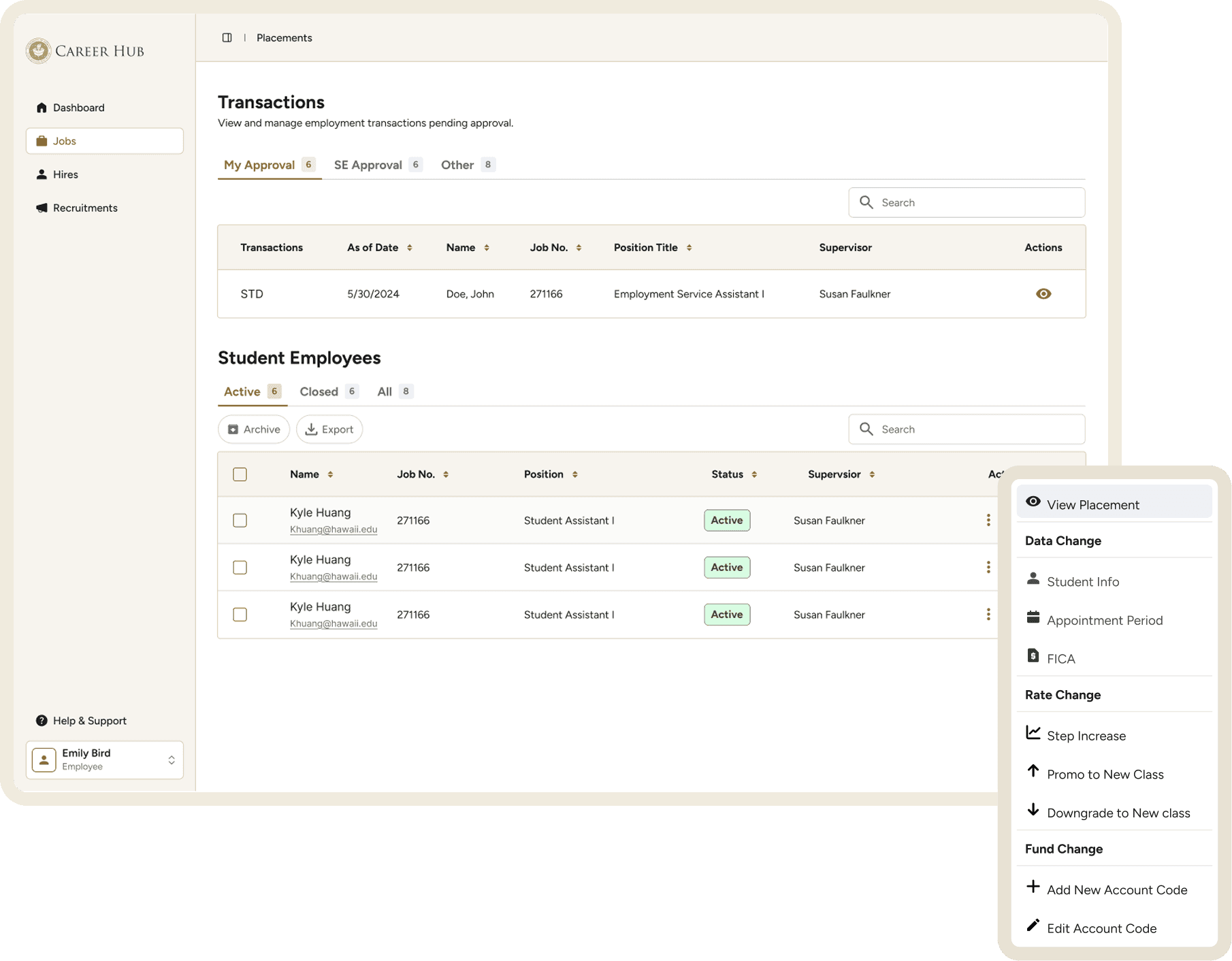
Actions now surface directly from the table via a three-dot menu with labeled categories and matching icons. A side modal handles all data edits so employers can make changes without losing their place in the table.
On-Campus Recruitment
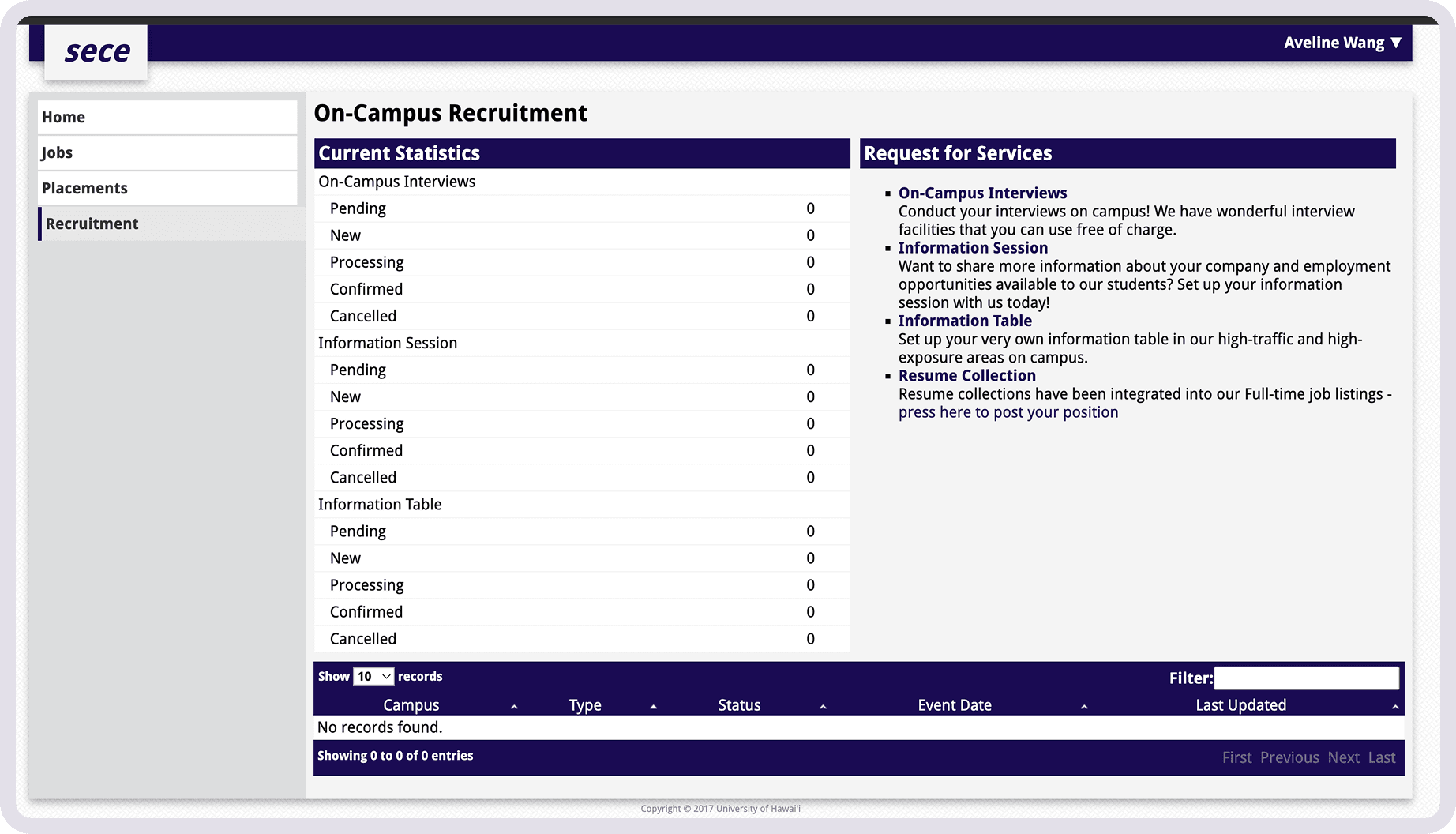
A dense statistics table and a list of plain text links make it difficult to quickly understand what services were available.
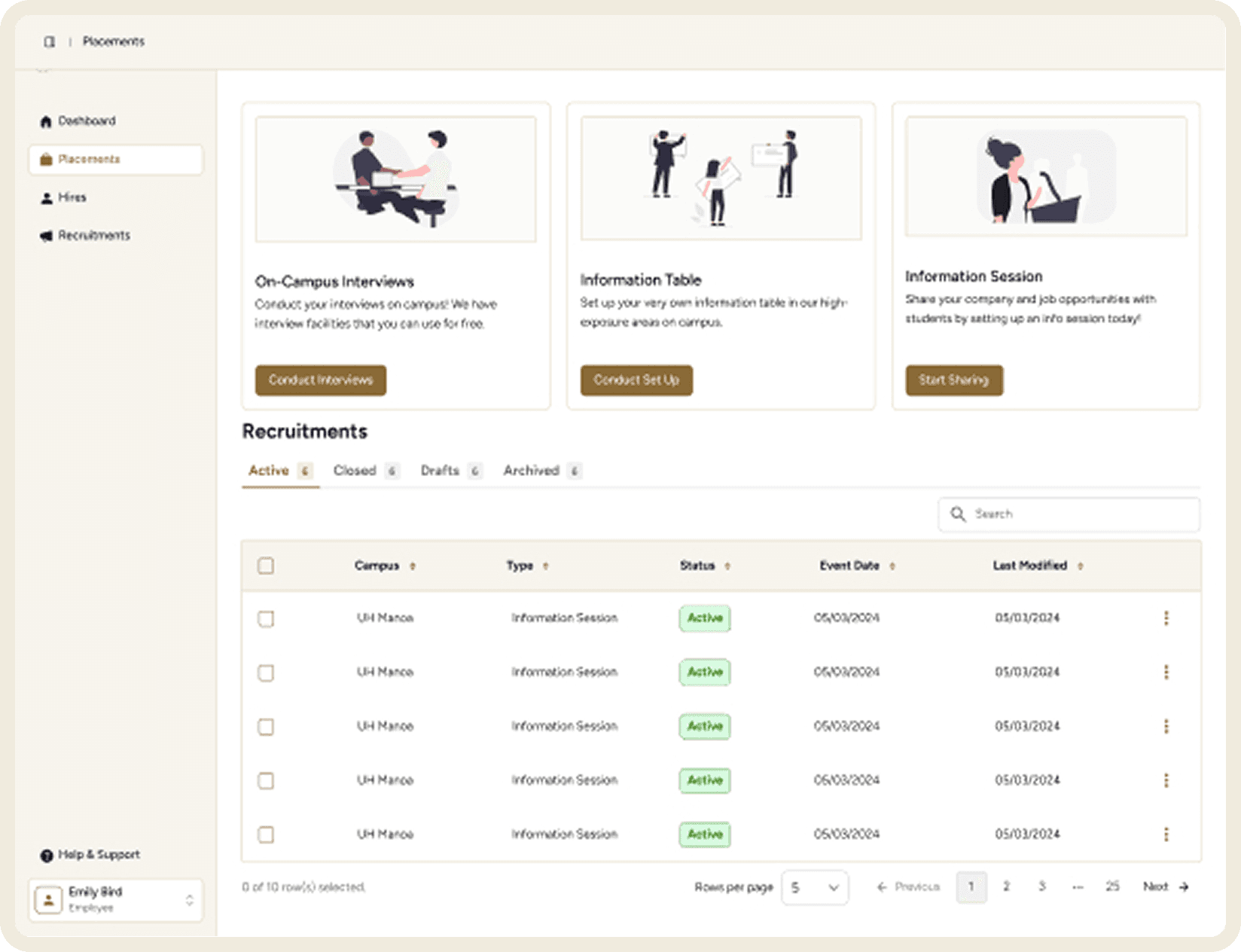
Illustrated action cards make available services immediately clear.
Reflection
This project taught me a lot about what I'd prioritize differently next time.
Research first: I would have spoken directly with on- and off-campus employers rather than relying on staff feedback and my own observations.
Align with the developer earlier: Knowing which UI framework the developer was most comfortable with from the start would have saved significant time.
Start with a UI library: Building from an established component library from day one — with proper documentation and ideally published in Storybook — would have produced a more consistent result and a smoother handoff.
Test before shipping: Structured user testing at key points would have validated decisions before handoff rather than leaving open questions after launch.
Documenting everything from the start would’ve made writing this case study easier...
© 2026 Aveline Wang
Made with love and black coffee 🖤